More printers. Less walking to check.
Give the whole workshop a shared printer view. Use a TV dashboard for the collection, a Touch screen at the bench, and a light at each printer to make reported pauses and errors visible.
- Free: 10 printers
- Farm: up to 50
- Fleet: up to 300
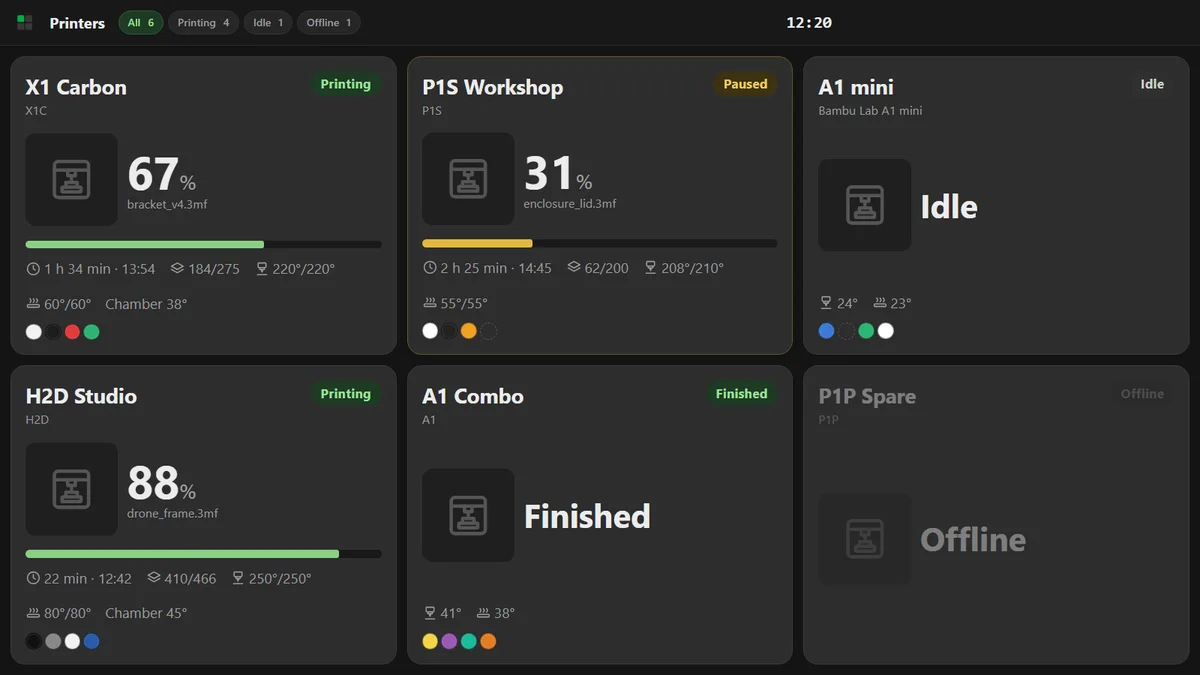
A useful view at every scale.
A shared picture of the queue
Use Bridge's TV view on a connected monitor for printer state, progress and remaining-time estimates. This is monitoring, not remote print-job dispatch or production scheduling.
A signal at the printer
Fit a Glow controller and compatible strip to each printer you want to highlight. Reported states become visible colour cues; choose the palette and effects with Pro.
Keep selected printers at the bench
A Touch screen displays up to two printers on Free or eight with Pro. Select the machines that matter to that workstation rather than expecting every printer to fit on one small screen.
One plan for paired views
Farm or Fleet applies to one Bridge and makes its paired apps, screens and lights Pro while using Bridge mode. Hardware is separate, and each Glow still follows one printer.
& iPad
screens
lightsLight, progress & alerts
Start with the right parts.
- Start with a supported always-on Bridge computer on the printers' reachable local network.
- Choose a monitor for a TV view, supported Touch boards for bench screens, and supported Glow controllers/strips for individual printer lighting.
- Check Wi-Fi coverage, client isolation and stable power at the actual printer locations before fitting many devices.
- Use the Free tier to validate your first printers and views before increasing the collection.
Check the full printer, device and network compatibility guide →
Try Free. Upgrade for your setup.
Free
A free Bridge supports ten printers. Each directly used or Free paired device keeps its own limits. The app's Bridge mode requires a paid app plan.
Farm and Fleet
Farm supports 50 printers and Fleet 300 on one Bridge. Both renew yearly and can be cancelled for the end of the paid year. Website Farm/Fleet purchases are for businesses; app purchases are available in the app. See the pricing comparison and country-specific checkout totals before buying.
Compare features and current prices →A free licence is registered to your account. Hardware is bought separately. Paid licences and purchases follow the terms; the website checkout shows the applicable country total before payment.
Before you start.
Does a Farm licence unlock every screen and light?
It makes views paired to that licensed Bridge Pro while they are in Bridge mode. A Touch still shows up to eight selected printers and a Glow follows one printer. A standalone device outside that Bridge setup uses its own licence.
Will this start, stop or schedule prints?
LayerGlance is a printer-monitoring system. It shows the status your printers report; it is not a print-job management or dispatch system.
Can I start with just a few printers?
Yes. Begin with the free Bridge for up to ten printers, or connect Touch/Glow directly within their Free limits. Add views and paid features when your actual setup needs them.
LayerGlance is an independent FiddlerCrab product for compatible Bambu Lab printers. It is not affiliated with or endorsed by Bambu Lab. Publisher details.